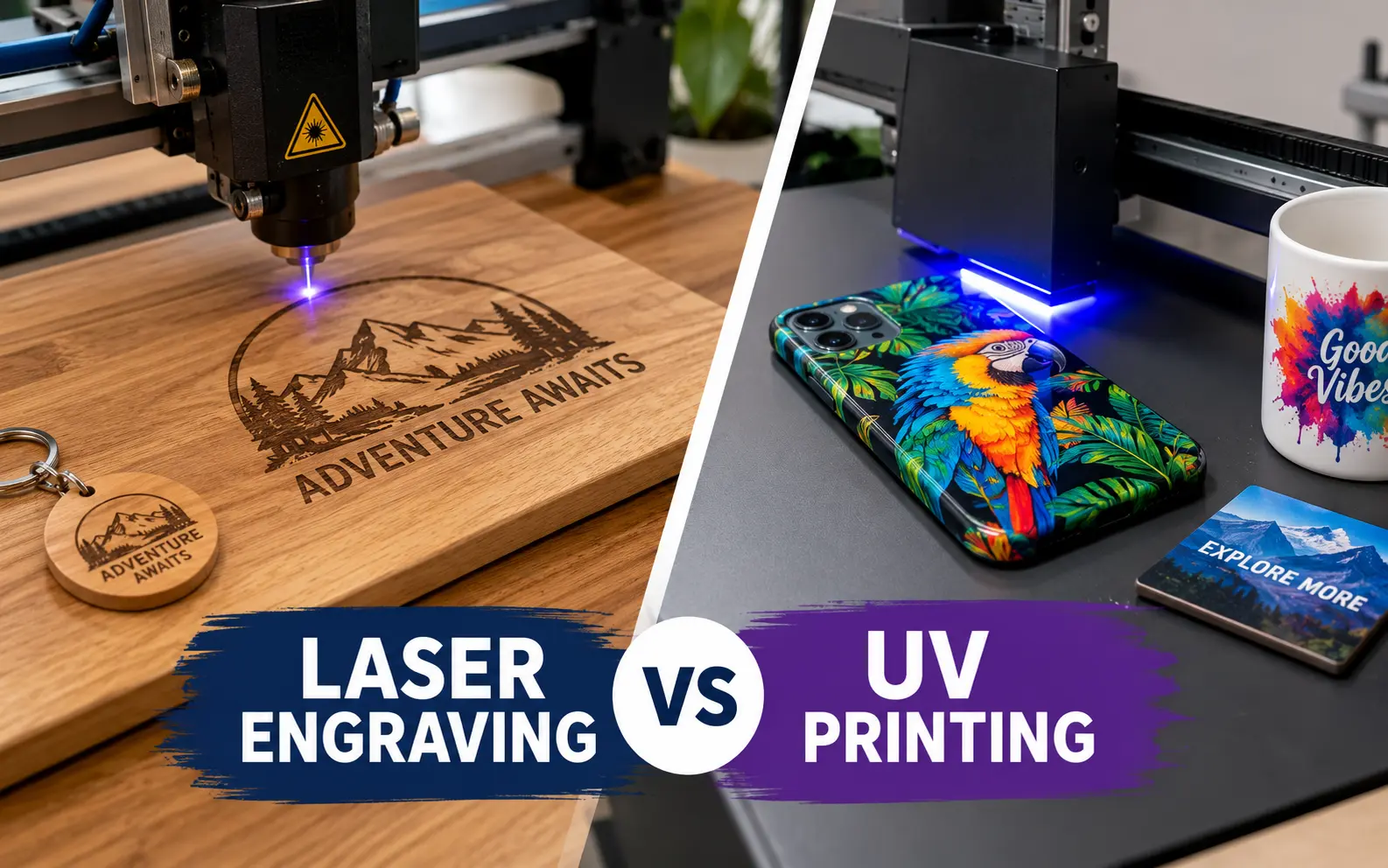
We run a laser and a UV printer side by side, and the question we hear most from new makers and corporate buyers never changes: which one should I use? The honest answer depends less on the machine and more on what happens to the product after it leaves your shop.
So instead of another spec-sheet recap, this guide covers what fails first, what each piece really costs to make, and the material quirks that cost us money before we learned them.
Choose laser engraving when the mark has to survive years of washing, handling, or weather, or when you also need to cut shapes. Choose UV printing when the design depends on color, photos, or gradients. Engraving wins on permanence and running cost, while UV printing wins on color but only holds up as well as your surface prep and ink maintenance.
Laser Engraving vs UV Printing at a Glance
This is the table we hand to customers who are stuck between quotes. Figures are typical desktop and small-shop ranges, not lab maximums.
| Factor | UV printing | Laser engraving |
|---|---|---|
| Color | Single tone (burn, frost, or exposed metal); MOPA fiber adds a few oxide colors on steel | Full CMYK plus white and gloss varnish |
| Mark profile | Recessed, roughly 0.05 to 0.5 mm deep | Raised ink film, about 10 to 30 microns per layer; thicker for texture builds |
| Heavy daily washing | Holds up for years; the coating around it fails before the mark does | Good with primer and full cure; edges wear first |
| Material cost per small logo | Usually under $0.05 | Roughly $0.20 to $0.35 in ink and upkeep |
| Tolerance for idle weeks | Excellent: switch on and go | Poor: white ink settles and heads clog |
| Can cut shapes | Yes (CO2 and diode on organics and acrylic) | No |
| Main workspace hazard | Smoke, fumes, fire, eye exposure | Skin contact with uncured ink, mild odor |
| Entry price (desktop) | Diode about $300 to $1,000; CO2 or fiber about $1,500 to $6,000 | About $1,800 to $3,300; production flatbeds $10,000 and up |
Durability: What Actually Fails First
Most guides say engraving is "permanent" and UV prints are "durable." Both statements are true and both hide the failure points that matter when a customer emails you a photo six months later.
Where an engraved piece really wears
The mark itself rarely fails. What fails is everything around it.
- Powder-coated tumblers: The coating chips at the base and rim from knocks, and those chips draw the eye more than the logo. The engraved steel stays bright.
- Wood outdoors: Engraved areas collect grime and the surrounding wood greys under sunlight, so contrast drops within a season or two unless you seal it.
- Painted or cerakoted items: You are only removing paint, so the mark lasts exactly as long as the paint next to it.
- Anodized aluminum: The most stable result we see, because the mark sits in a hard oxide layer that does not peel.
Why UV prints fail (it is rarely the ink)
When a UV print lifts, the cause is almost always one of four shop errors:
- Skipped adhesion promoter: Glass, chrome, and smooth stainless need a wipe-on primer. Without it, prints can pass a fingernail test and still peel after a few dishwasher runs.
- Low surface energy plastics: Polypropylene, polyethylene, and silicone repel ink. They need flame or plasma treatment, or a different blank.
- Under-cure: If the print feels slightly tacky or smells strongly, the lamp power or pass count is too low.
- Wrong ink type: Rigid ink cracks on leather and flexible phone cases. Flexible ink scratches more easily on glass and metal. Match the ink to the substrate.
The wear pattern is predictable too. Prints go dull at the grip zone first, then fray at any edge that hits a sink or dishwasher rack, and only then start flaking.
The 15-minute adhesion test we run on every new blank
Before we quote a new product, we print a sample and wait 24 hours, because adhesion keeps improving after the lamp passes.
- Score a 6 x 6 cross-hatch grid with 1 mm spacing through the ink using a utility knife.
- Press strong tape over it, rub it down, and rip it off at a sharp angle (the same idea as the ASTM D3359 tape test).
- Rub a second area 20 times with a cloth soaked in isopropyl alcohol.
- Run a third sample through 10 to 20 hot dishwasher cycles if it is drinkware.
If more than a few grid squares lift, we change the prep, not the artwork. Engraved samples skip steps 1 to 3 and only get the dishwasher run to check the coating around the mark.
Material-by-Material Verdicts
The laser type changes the answer more than most buyers expect. A diode, a CO2, and a fiber laser behave like three different tools, so we note which one each verdict assumes.
- Powder-coated tumblers: Laser wins for logos and names. A fiber or a 20W+ diode strips the coat cleanly in under a minute. Pick UV only when the client insists on brand colors.
- Bare stainless steel: A fiber laser marks it directly. A diode needs a marking spray, and a CO2 cannot mark it at all. UV prints need primer and still wear faster here than on coated surfaces.
- Anodized aluminum (cards, tags, flashlights): Laser, every time. The white-on-color contrast looks premium and lasts.
- Wood and plywood: Engraving gives warmth, while UV gives color. Pine chars and blotches, so use maple, birch, or a pre-finished panel. For UV, print a white base on dark woods or the colors go muddy.
- Clear acrylic: A CO2 frosts it beautifully. A blue diode beam passes straight through clear acrylic and does almost nothing, which surprises many first-time buyers. UV prints look best reverse-printed on the back so the sheet protects the ink.
- Glass: A CO2 frosts the surface but can leave micro-chips. A damp paper towel or a thin film of dish soap over the area reduces that. UV printing gives color but needs a glass primer and a printer that handles reflective surfaces.
- Slate and stone: Laser engraving produces a light grey mark that reads well and never wears off. UV photos look striking on slate but sit on a porous, uneven surface, so seal them.
- Leather and leatherette: Both work. Laser for debossed-look patches, UV with flexible ink for color logos. Never laser anything labeled vinyl or PU without checking it is chlorine-free.
- Ceramic mugs: A standard laser cannot engrave glazed ceramic well without a marking compound. UV prints them in full color, but stay off the rim.
- Phone cases, golf balls, and pens: UV printing territory. Curved, colored plastics are where the printer pays for itself.
The Real Cost Per Piece (Not the Sticker Price)
Machine price gets all the attention, yet running cost decides your margin. Here is how we estimate it for a 3 x 3 inch logo on a 20 oz tumbler. Swap in your own electricity rate and supplier prices.
| Cost item per tumbler | Laser (fiber or diode, ~1 min) | UV printer (white + CMYK + varnish) |
|---|---|---|
| Ink or marking material | $0 | $0.16–$0.18 |
| Cleaning and purge ink | $0 | $0.03–$0.06 |
| Primer or adhesion promoter | $0 | About $0.02 |
| Wear parts (tube, filter, printhead) | About $0.01 | About $0.02 |
| Electricity | Under $0.01 | Under $0.01 |
| Estimated total per tumbler | Under $0.05 | About $0.25–$0.30 |
Thirty cents sounds trivial until you multiply it by a 500-piece corporate order and add a 2 to 3 percent reject rate for misprints. A ruined blank costs far more than the ink.
The laser costs nobody lists
Lasers are not consumable-free. Glass CO2 tubes typically last 1,500 to 3,000 hours and cost a few hundred dollars to replace. Fume extractor filters run $100 to $300 per set and clog fast on wood and leather. Lenses need cleaning weekly and replacing when pitted.
The UV printer's idle tax
This is the cost that ends most beginner UV setups. The printer runs automatic cleaning cycles whether you sell anything or not, and white ink settles if it is not circulated daily.
Opened ink also has a shelf life, usually 6 to 12 months. Let the machine sit for three weeks and you may spend a morning on head cleaning, or a few hundred dollars on a new printhead. Our rule of thumb: if you will not print at least three days a week, outsource UV work until demand justifies the machine.
What buyers pay
On the buying side, US contract decorators commonly quote around $3 to $15 per piece for laser engraving and $5 to $30 for UV printing, driven by area and wrap coverage. The gap mostly reflects the ink, prep, and maintenance costs above.
Speed, Batching, and Curved Surfaces
Speed claims online contradict each other because they compare different machines doing different jobs. Here is what actually drives throughput in a small shop.
Single piece vs full bed
A galvo laser (most fiber and UV lasers) marks a small logo in seconds, so one-off personalization is fast. A gantry diode or CO2 slows down on large filled areas because the head has to raster line by line.
UV printers flip that logic. One tumbler takes a few minutes once you count white, color, and varnish passes. But a flatbed loaded with a jig of 20 keychains prints them all in one run, so per-piece time drops sharply on batches.
Curved and tapered items
- UV print head gap: Desktop UV printers want roughly 1 to 2 mm between the head and the surface. Beyond that, ink droplets scatter and edges blur, which is why domed lids and textured powder coat print poorly.
- Tapered tumblers: You need a rotary that compensates for the cone, or the design stretches and the seam drifts out of line.
- Laser rotaries: Chuck rotaries grip tapered cups better than roller rotaries. Galvo lasers wrap designs by stitching segments, so check for visible stitch lines on full wraps.
File prep differences
- For lasers: Send vectors for text and logos. Photos need dithering (Jarvis or Stucki work well on wood) and a test grid for power and speed on each new material.
- For UV: Supply 300 DPI artwork at final size, a separate white layer as a spot channel, and an ICC profile if brand colors matter. Request a printed proof for any Pantone match, because the substrate color shifts the result.
Safety, Fumes, and Food-Contact Rules
Other guides stop at "lasers make smoke, UV printers are cleaner." The real risks are more specific, and two of them can put your business at legal or health risk.
Laser hazards that go beyond smoke
- Banned materials: Never laser PVC or vinyl. It releases chlorine gas that forms hydrochloric acid, which harms your lungs and corrodes the machine. Skip polycarbonate, ABS, PTFE (Teflon), and fiberglass too.
- Fire: Wood, cardboard, and acrylic can flare up during cutting. Never leave a running laser unattended, and keep a CO2 extinguisher within reach.
- Eye protection: Open-frame diode and fiber lasers are Class 4. Goggles must be rated (optical density) for that exact wavelength, such as 445 nm for blue diodes or 1064 nm for fiber. Generic safety glasses do nothing.
- Ventilation: Duct fumes outside or use an extractor with both HEPA and activated carbon stages. Acrylic and leather odors linger for days in a closed room.
UV printing hazards people ignore
- Skin sensitization: Uncured UV ink contains acrylates that can trigger allergic dermatitis, and sensitivity builds over months. Wear nitrile gloves whenever you handle ink, wipers, or waste.
- Waste ink: Treat it as chemical waste. Cure it solid under the lamp or follow local disposal rules, but never pour it down a drain.
- Lamp exposure: UV-LED lamps emit around 395 nm. Do not watch the carriage with bare eyes during long runs.
- Room conditions: Most UV printers expect roughly 20 to 28 °C and 40 to 60 percent humidity. Cold rooms thicken ink and cause banding.
The drinkware lip zone
Most UV inks are not certified for direct food or mouth contact. Keep printed artwork at least 15 to 20 mm (about 3/4 inch) below the rim of cups and bottles, and never print inside a vessel.
Laser-engraved stainless has no such limit, since the exposed area is bare steel. That alone makes engraving the safer default for rim-to-rim designs.
Running Both: Four Hybrid Workflows That Earn More
The most profitable products in our shop use both machines. These are the four combinations we come back to, in order of how often we run them.
- Batch print, then personalize with the laser. Print 50 colorful backgrounds in one UV run, then engrave each customer's name on demand. You get full-color shelf appeal without running the UV printer for every single order, which keeps the ink system busy in efficient bursts.
- Print first, cut second. For acrylic charms and wood stickers, print the full sheet, then laser-cut the outlines. Cut acrylic face-down or keep the masking on, because cutting smoke stains printed surfaces.
- Print, then ablate. Lay down a solid UV color block, then use a low-power laser pass to burn away crisp lettering. This gives razor-sharp negative text that a printer alone struggles to match.
- Engrave, then color-fill. Engrave a recessed logo, then UV print color into the recess using camera alignment. The color sits below the surface, so it is shielded from most abrasion.
One caution: laser heat yellows cured ink near the beam path. Run a test tile whenever a laser pass touches or comes within a few millimeters of a print.
Which Should You Buy First? A Decision Checklist
Answer these five questions honestly before you spend anything.
- Product mix: Would more than half your orders lose their appeal in a single color? If yes, UV printing comes first.
- Use environment: Will the item be washed daily, handled constantly, or left outdoors? If yes, lean toward engraving.
- Cutting: Do you need custom shapes from wood, acrylic, or leather? Only a laser does that.
- Order rhythm: Can you keep a UV printer running at least three days a week? If not, the idle tax will eat your margin.
- Budget: Under $1,000 points to a diode laser. A capable UV setup with rotary, primer, and spare ink realistically starts near $2,500.
Our starting recommendation by business type
- Etsy gift shop on a tight budget: Start with an enclosed diode laser, then add UV when color requests become a regular share of your inbox.
- Corporate drinkware and promo: A fiber laser with a chuck rotary covers most logo orders. Outsource full-color runs until volume justifies a printer.
- Photo gifts, phone cases, and colorful merch: UV printer first. A laser adds little until you need cutting.
- Awards and signage: Both, eventually. Start with a CO2 for cutting and engraving acrylic and wood, then layer in UV color.
Frequently Asked Questions
Can I fix a misspelled name after printing or engraving?
A UV print can usually be removed with isopropyl alcohol or acetone and a plastic scraper, then reprinted, as long as the base material tolerates solvent. An engraving cannot be undone. On powder-coated items, the only fix is recoating, so always send a proof before engraving names.
Is a UV laser the same thing as a UV printer?
No. A UV laser is an engraver that uses a 355 nm beam to mark material, and it deposits no ink. It excels at fine marks on glass, plastics, and inside crystal blocks, but it cannot produce full-color images.
Can a laser engraver make colored marks on stainless steel?
A MOPA fiber laser can create blues, golds, purples, and reds by controlling the oxide layer on stainless or titanium. The palette is limited, results shift with viewing angle, and dialing in settings takes many test runs. It is a niche effect, not a replacement for UV color.
Can you laser engrave a mirror?
Yes, and the best results come from the back. Engraving the rear coating removes the silver layer so the design appears inside the glass, with the front left perfectly smooth.
Can a UV printer print on T-shirts or fabric?
Not well. UV ink is too stiff for fabric and cracks when it flexes. For apparel, use DTF, DTG, or screen printing instead.
Is UV DTF a good middle ground for curved items?
UV DTF prints a full-color transfer sticker that you apply by hand, so it reaches shapes a rotary cannot, like domed lids or handles. It is faster to set up but less abrasion-resistant than printing directly onto the object.
How long does a UV print last outdoors?
In direct sun without a protective clear coat, many desktop UV prints show visible fading within one to three years, with reds and yellows going first. Check your ink's lightfastness rating and add a UV-resistant varnish for signage.
Which looks more premium to customers?
In our experience, buyers associate engraving with heirloom quality and UV printing with fun, personal gifts. Engraved items often support a higher price for corporate and memorial pieces, while photo prints command the premium for sentimental gifts.