
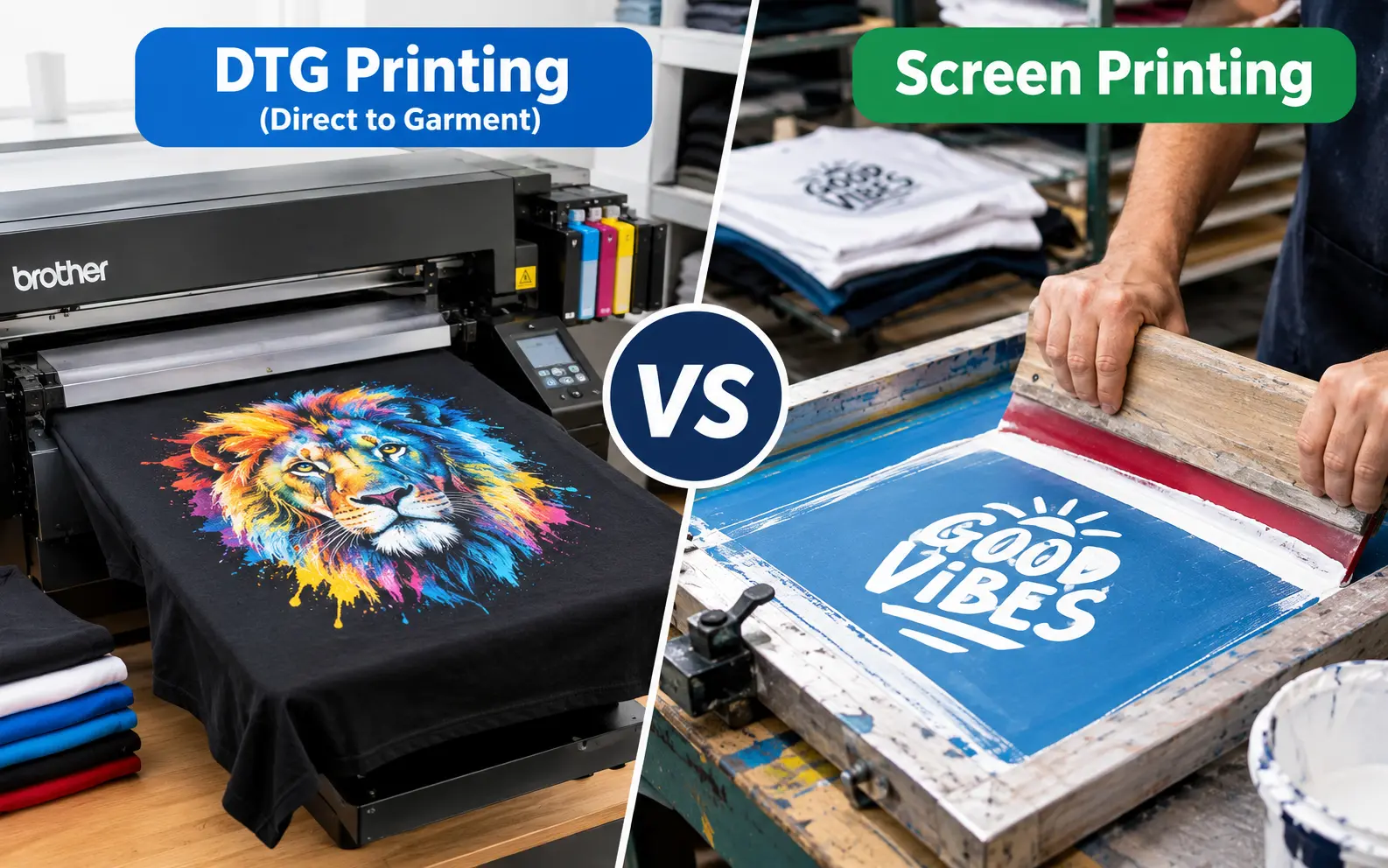
DTG printing wins for small runs, photo-realistic designs, and multi-color art because there's no per-color setup cost. Screen printing wins once you cross roughly 24-50 pieces of the same design, because the ink is thicker, more durable, and the cost per shirt drops sharply at volume. If you're printing fewer than two dozen shirts or testing a new design, go DTG. If you've got a proven seller and need 50+ units, screen printing will save you money and last longer on the shelf.
That's the short version. Everyone selling t-shirts eventually runs into this decision, and most guides stop at "it depends on quantity." That's true, but it's not the whole story. Below I'll walk through the cost math, the fabric quirks nobody warns you about, and the mistakes I've seen shops make when they pick the wrong method for the job.
DTG vs Screen Printing at a Glance
| Factor | DTG Printing | Screen Printing |
|---|---|---|
| Best order size | 1-24 pieces | 25-50+ pieces |
| Setup cost | None | $15-40 per screen/color |
| Cost per shirt (small run) | Lower | Higher |
| Cost per shirt (100+ units) | Stays flat | Drops significantly |
| Color limit | Unlimited (photo-quality) | Usually capped near 8-9 colors |
| Best fabric | 100% cotton | Cotton, poly, blends, performance fabric |
| Typical wash life | 30-50 washes | 50-100+ washes |
| Feel on the shirt | Soft, sits in the fabric | Slightly raised, sits on top |
| Turnaround for 1 unit | Same day, easy | Rarely worth it below 24 units |
Keep this table as your quick gut-check. The sections below explain the why behind each row, plus a few things that don't fit neatly into a table.
How Each Method Actually Lays Down Ink
DTG sprays water-based ink directly into the fibers of the shirt using inkjet-style print heads, curing it with heat afterward. Screen printing pushes thicker ink through a mesh stencil, one layer per color, then cures each layer separately.
That's the mechanical difference in one paragraph. Everything else in this guide is about what that difference actually means for your order, your budget, and your customer's closet in six months.
The Real Cost Math Nobody Shows You
Most articles say "DTG is cheaper for small orders, screen printing is cheaper for big ones" and leave it there. Here's the actual arithmetic behind that claim, because the crossover point matters more than the general rule.
A basic four-color screen print job needs four to five screens (you'll usually need an extra screen for the white underbase on dark shirts). Each screen runs $15 to $40 to burn and register, so you're looking at $75 to $200 in setup before a single shirt hits the platen. Spread that over 12 shirts and you're paying $6 to $16 per shirt just in setup. Spread it over 200 shirts and that same cost drops to under a dollar per unit.
DTG skips the screen cost entirely, but the ink itself is pricier per print. A dark, multi-color print with a white underbase can run $3 to $8 in ink and pretreatment alone. That number doesn't change whether you print 1 shirt or 100, which is exactly why DTG stops making financial sense once you're past a few dozen units. There's no efficiency curve to ride.
A rough formula I use with new print shop owners:
Break-even quantity ≈ (screen setup cost) ÷ (DTG ink cost per shirt − screen printing ink cost per shirt)
Plug in typical numbers (roughly $150 in setup, $5 DTG ink cost, $0.50 screen ink cost) and you land close to the 30-shirt mark most shops quote as their crossover. Your specific numbers will shift based on your vendor, but running this math on your own supplier's pricing beats guessing.
Durability and Wash Testing: What the Numbers Actually Say
Ink placement decides how long a print survives the laundry, and this is where the two methods genuinely diverge.
DTG ink bonds into the fabric weave itself. Under the AATCC colorfastness scale (the industry's standard wash-test rating), quality DTG prints typically score a 4 out of 5. In plain terms, that means the print fades gradually and evenly rather than cracking. Most well-made DTG prints hold up for 30 to 50 wash cycles when the shirt is turned inside out and air-dried.
Screen printing's plastisol ink sits as a thicker layer on top of the fibers. That layer resists abrasion and repeated washing better, which is why uniform companies and event shirt vendors default to it. Screen prints commonly survive 100+ wash cycles, sometimes doubling what a DTG print can handle under the same conditions.
Here's the nuance most guides skip: how you wash it changes the outcome more than the printing method does. A screen-printed shirt tossed in a hot dryer on high heat will crack and peel faster than a well-cared-for DTG print. If you're selling either type of shirt, put basic wash care on the tag or the product page. It's a five-second read that cuts return complaints in half.
Fabric Compatibility Nobody Talks About
Most comparisons say "DTG works on cotton, screen printing works on everything." True, but the edge cases matter if you're sourcing garments yourself.
Tri-blends and heathered fabrics are the sneaky problem child. DTG ink needs a cotton surface to properly bond, so a 50/25/25 poly-cotton-rayon tri-blend tee (popular for its soft drape) often prints with a slightly grainy, less saturated look compared to a 100% cotton shirt. If a client wants that vintage tri-blend feel and a crisp full-color print, warn them upfront that the colors won't pop quite as hard.
Dye migration is the other landmine. Print a white DTG design on a 100% polyester shirt and cure it with heat, and the shirt's own dye can bleed up into your ink during the curing process, turning your clean white logo a dingy pink or gray. This is a chemical reaction between the polyester dye and the heat, not a printer malfunction, and no amount of pretreatment fully solves it. If a client insists on poly performance wear, screen printing (or DTF, more on that below) is the safer call.
Screen printing on stretchy performance fabric has its own quirk: the ink layer, being thicker, can crack along stress points (armpits, elbows) faster on moisture-wicking athletic shirts than on a stable cotton crew neck. Specialty stretch inks exist for this, but they cost more and not every shop stocks them.
Design Complexity and File Prep
This is the section most competitor articles gloss over, and it's where a lot of first-time customers get burned.
For DTG, submit your file as a high-resolution PNG or TIFF at 300 DPI at actual print size, in RGB or CMYK depending on what your vendor asks for. Because it's essentially inkjet printing, gradients, drop shadows, and photographic detail translate cleanly. You don't need to simplify anything.
For screen printing, your design needs to be color-separated before it ever reaches a screen. Each color becomes its own stencil, so a photo with thousands of color values has to be broken down (or simulated) into a manageable number of solid colors, usually under nine. If you hand a screen printer an unseparated photograph, expect either a quote for simulated process printing (expensive) or a request to redesign the art as flat color blocks.
A practical tip: if you're designing for both methods down the road (say, a design you'll DTG print now and screen print later once it takes off), build it in vector format from the start with limited, flat colors. It'll print fine on a DTG machine today and save you a redesign fee when you scale up to screen printing later.
Hand Feel and Wearability
Customers notice how a shirt feels against their skin more than they'll ever tell you in a review.
DTG ink, being thin and worked into the fibers, generally leaves a softer hand feel, close to no print at all on lighter designs. Screen printing's plastisol ink sits higher and has more texture, though water-based and discharge screen printing inks can achieve a nearly print-free feel too, at the cost of some vibrancy and opacity on dark shirts.
If a client specifically asks for "a shirt that doesn't feel like it has a print on it," don't default to DTG automatically. Ask whether they want maximum color vibrancy (screen printing with water-based ink might beat DTG here) or maximum detail (DTG wins). Hand feel and color accuracy pull in slightly different directions depending on the ink chemistry, not just the method.
When DTG Actually Wins
- Rush jobs and reprints. Someone needs 3 replacement shirts by tomorrow, or a customer wants 5 more of a design you sold 100 of last year. No new screens needed.
- Design testing. You're not sure if an idea will sell, so you don't want to sink money into screens for something that might move 4 units.
- Full-color or photographic art. Portraits, gradients, and detailed illustrations print cleanly without separation work.
- One-off gifts and personalization. Names, custom photos, one-of-one designs where no two shirts are identical.
When Screen Printing Actually Wins
- Anything over roughly 30-50 units of one design, where the setup cost gets absorbed by volume.
- Uniforms, team shirts, and event merch that need to survive dozens of industrial washes.
- Simple logo work with 1-4 solid colors, where separation is quick and cheap.
- Poly-blend athletic and performance apparel, where DTG's dye migration risk becomes a real production headache.
- Exact color matching against a Pantone spec, since screen printing ink can be custom-mixed to hit a precise shade in a way CMYK-based DTG can't always replicate.
A Third Option Most Guides Skip: DTF and Hybrid Printing
If you've only researched DTG and screen printing, you're missing a method that's eaten market share fast: direct-to-film (DTF) printing. DTF prints your design onto a special film, then heat-presses it onto the garment, ink and all, as a transfer. It works on cotton, polyester, blends, and even nylon, sidestepping the dye migration problem that trips up straight DTG on poly fabric. It also skips the pretreatment step DTG needs on dark shirts.
The tradeoff: DTF prints sit slightly higher on the fabric than DTG, closer to a screen print's hand feel, and the per-unit cost sits between DTG and screen printing for most small-to-mid orders. Some shops now run a hybrid model: DTG for cotton small-runs, DTF for mixed-fabric or bulk-but-not-bulk-enough orders, and screen printing reserved for the big, simple jobs. If you're scaling a print business rather than running a single order, it's worth pricing out DTF as a middle gear rather than treating this as a strict two-way choice.
Common Mistakes When Choosing Between the Two
Picking screen printing for a 15-unit order because "it lasts longer." The setup cost eats any durability advantage at that volume. Do the math from the cost section above before committing.
Forgetting to ask about fabric content. A customer says "t-shirts" and you assume cotton, then find out mid-order it's a poly-blend athletic line. Always confirm fabric composition before quoting DTG.
Skipping a wash-test sample on a new fabric or ink batch. Ink chemistry varies between suppliers. A quick wash test on one sample shirt before running a full order catches fading or cracking issues before they become 50 customer complaints.
Assuming DTG has no minimum at all. Technically true, but ink and pretreatment costs mean printing a single unit rarely turns a profit if you're charging screen-print-level prices. Price DTG small runs realistically, not as a loss leader.
Frequently Asked Questions
Is DTG printing cheaper than screen printing?
For orders under about 24-30 units, yes. Past that point, screen printing's cost per shirt drops below DTG because the setup cost gets spread across more units.Does DTG printing crack or peel over time?
Rarely cracks, but it does fade gradually with repeated washing, especially in hot water or high-heat drying. Screen printing is more prone to cracking or peeling if the ink layer is thick and the shirt is dried on high heat repeatedly.Can you screen print on a shirt that already has a DTG print?
Not on the same spot. Layering wet or already-cured ink types on the identical area causes adhesion problems. Different placements on the same shirt (a DTG front print with a screen-printed back logo) work fine.Why does my white DTG print look pink on a red or maroon shirt?
That's dye migration. The garment's dye bleeds up through the ink during curing on darker or bolder colored fabrics, especially poly blends. A heavier pretreatment coat and lower cure temperature can reduce it, but it won't disappear entirely on problem fabrics.Do I need different care instructions for DTG vs screen-printed shirts?
Both last longer turned inside out and air-dried or tumbled on low. DTG prints are somewhat more sensitive to hot water and bleach than screen prints, so it's worth flagging that difference on product tags if you sell both types.Is screen printing bad for the environment?
It uses more water and solvent during screen cleanup and reclaiming than DTG does, and it's typically tied to bulk production, which raises overproduction risk. DTG's water-based inks and print-on-demand model generally produce less waste, though DTG's ink cartridges and machine components carry their own environmental footprint.Which method is better for a small streetwear brand just starting out?
DTG or DTF, almost always. You avoid holding inventory, you can test designs cheaply, and you're not stuck with 100 unsold units of a design that flopped.