
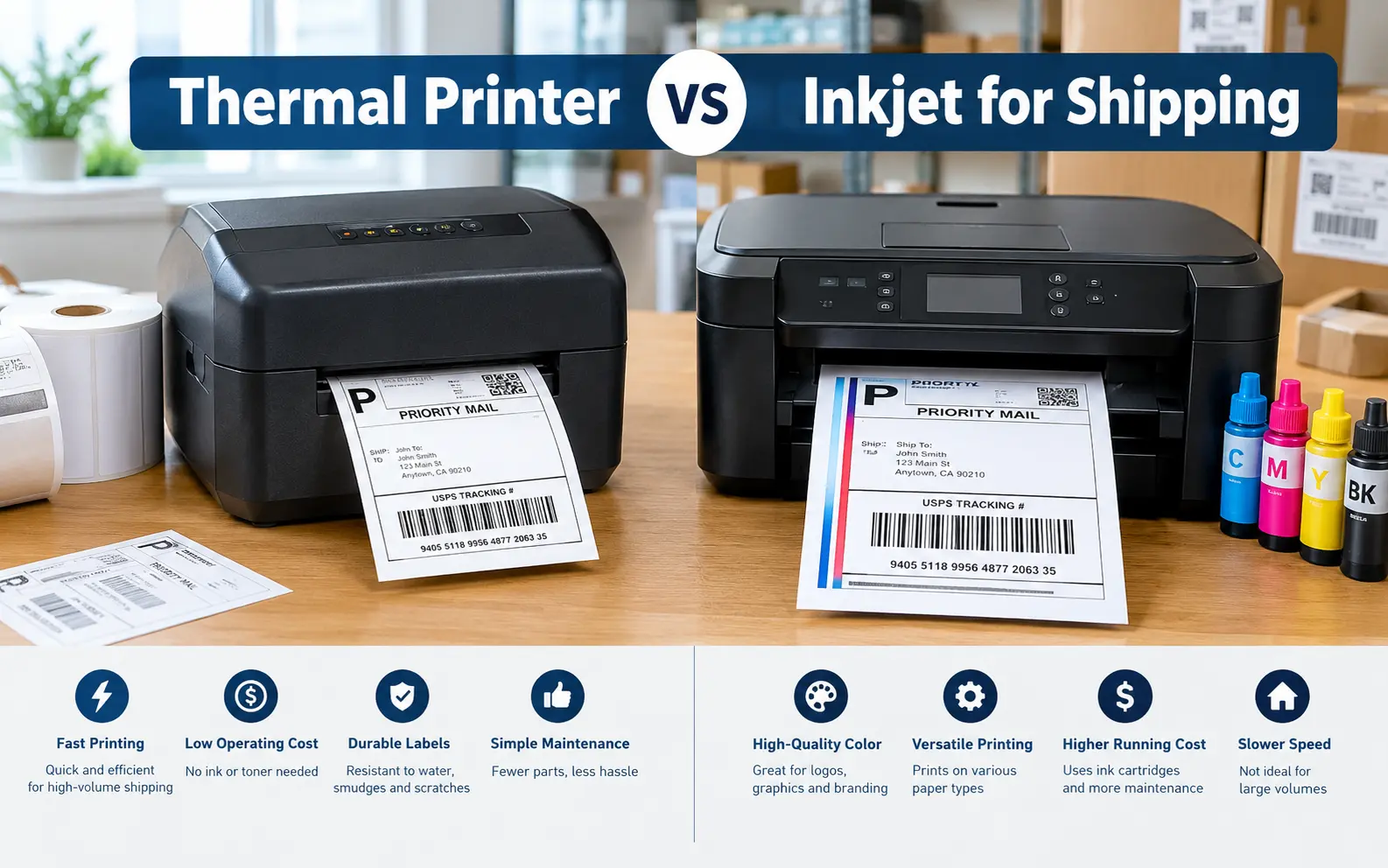
Most sellers ask this question after the first ugly week of peak season: a clogged printhead, a half-sheet of labels jammed in the rollers, a barcode a scanner refuses to read. I want to save you that week.
For anyone shipping more than a handful of parcels a day, a 4x6 direct thermal printer is the better choice. It costs less per label, prints faster and produces barcodes that survive handling. An inkjet only makes sense if you ship a few parcels a week, already own the printer, or need color on the same device.
Where the Money Actually Goes
The sticker price of the printer is the smallest number in this decision. The real gap is cost per label, and it comes from the stock, not the ink.
A direct thermal roll or fanfold stack of 4x6 labels often works out to a few cents per label. An inkjet label needs ink plus adhesive sheets, and a standard letter sheet holds two 4x6 labels at best. Many sellers use half-sheets and throw away the other half, or tape a plain-paper printout to the box.
The numbers below are rough assumptions, so replace them with your own supplier prices.
| Daily labels | Inkjet (assumed ~$0.12 each) | Thermal (assumed ~$0.04 each) | Monthly gap |
|---|---|---|---|
| 5 | about $18 | about $6 | about $12 |
| 25 | about $90 | about $30 | about $60 |
| 100 | about $360 | about $120 | about $240 |
Assumes about 30 shipping days a month.
Here’s the break-even formula I use. Divide the printer price by the savings per label. A $150 thermal printer saving $0.08 per label pays for itself in about 1,900 labels. At 10 labels a day, that’s roughly six months.
The Inkjet Problems Nobody Budgets For
Idle clogging. Seasonal sellers get hit hardest. A printer that sits for three weeks often wastes a pile of ink on cleaning cycles before it prints cleanly.
Water smudging. Dye-based inks run when a package sits in rain or a damp doorstep. Pigment inks resist better, but plain printer paper still gets soft and tears at the edges.
Adhesive buildup. Sheet labels are the sneaky one. Repeated feeding of peel-off sheets leaves glue residue on the rollers, and eventually something jams.
Cartridge lock-in. Some manufacturers use subscription ink or firmware that rejects third-party cartridges. Check this before you buy, because it changes your cost per label completely.
Ink tank models. If you must stay with inkjet, a refillable ink tank printer is the version I would look at. The cost per page drops dramatically, though you still pay for the sticker stock.
Thermal Has Weak Spots Too
Direct thermal paper reacts to heat, light and friction. That’s fine for a label that lives three days in transit, but it’s a problem for anything stored.
- Hot storage. Labels left in a parked van or a sunny window can darken before you print them. Store rolls somewhere cool and dry.
- Scuffing. A label rubbed against other parcels can grey out. Place labels away from edges and seams.
- Shelf life. Don’t use direct thermal for anything that has to stay readable for many months. For that, a thermal transfer printer with a ribbon is the right tool.
- Printhead wear. Printheads are a consumable. Cleaning with isopropyl alcohol every few rolls extends their life.
Setup Mistakes That Break Barcodes
Both printer types fail in predictable ways, and most of those failures are settings, not hardware.
Print scaling. This is the number one cause I see. If your browser or PDF viewer is set to “fit to page,” it can shrink a 4x6 label slightly and make the barcode harder to scan. Set scale to 100% and the page size to 4x6.
Darkness setting. Turning it up feels like a fix for faint prints. Too high, and the bars bleed into each other and the printhead wears faster.
Sensor calibration. If a thermal printer feeds a blank label between prints, run its calibration routine. This happens after a roll swap or a switch between label brands.
Resolution. 203 DPI handles standard shipping labels well. Use 300 DPI only if you print very small text or dense barcodes.
Test scan. Before a busy day, print one label and scan it with a phone and a real handheld scanner. Phones forgive what scanners don’t.
Matching the Printer to Your Volume
Volume is the cleanest way to choose, and here’s how I’d sort it:
- Under about 5 labels a week: Use your current inkjet. Buy a pack of 4x6 half-sheet labels, and don’t spend on new hardware.
- 5 to 20 labels a day: A budget 4x6 direct thermal printer pays for itself fast. This is where most small sellers belong.
- 20 labels a day or more: Thermal is the only sensible choice. Look at duty cycle, fanfold versus roll feed and replaceable printheads.
- Heavy branding needs: Print your branded inserts and packing slips on an inkjet, and use thermal for the shipping label itself.
Running Both: The Hybrid Setup
Plenty of sellers I talk to end up with both machines, and they stop treating it as an either/or choice. The thermal printer handles labels, and the inkjet or laser handles packing slips, invoices and color inserts.
This also takes pressure off the inkjet. It prints far less, so ink lasts longer and clogging is less common.
One more option worth knowing: many carriers offer label-free returns through a QR code. The customer shows it at a drop-off point and staff print the label. That removes the need for customers to print anything at home, which saves you the support emails.
Frequently Asked Questions
Can I use a thermal printer for Amazon FBA labels?
Generally yes, for box labels and product labels. Check Amazon’s current label specifications for the size and format they accept.Do thermal printers work with Etsy, eBay and Shopify?
Yes. Most shipping platforms export a 4x6 PDF or a thermal-ready format. Choose 4x6 in the platform’s label settings.Will a thermal printer work with a Mac or Chromebook?
Often, but driver support varies by model. Check the manufacturer’s compatibility list for your operating system before buying.Do I need Wi-Fi or Bluetooth on the printer?
Only if you print from a phone or share one printer between computers. USB is simpler and more reliable for a single desk.How long does a thermal printhead last?
It depends on usage, darkness settings and cleaning. Heavy users should check whether the printhead is replaceable.Can a thermal printer print in color?
Standard ones can’t. A few use special dual-color label stock, but full-color printing is an inkjet job.Are thermal labels recyclable?
Not always. Some thermal papers carry coatings that complicate paper recycling, so check the label supplier’s guidance.